
DIGITAL TWIN
Numbers that immediately catch the eye
Enable scalability with zero manual tagging effort.
99%
Reduced Manual Handling Errors
25% +
Productivity Gain
6 hrs
Hours Saved per 400 Assets
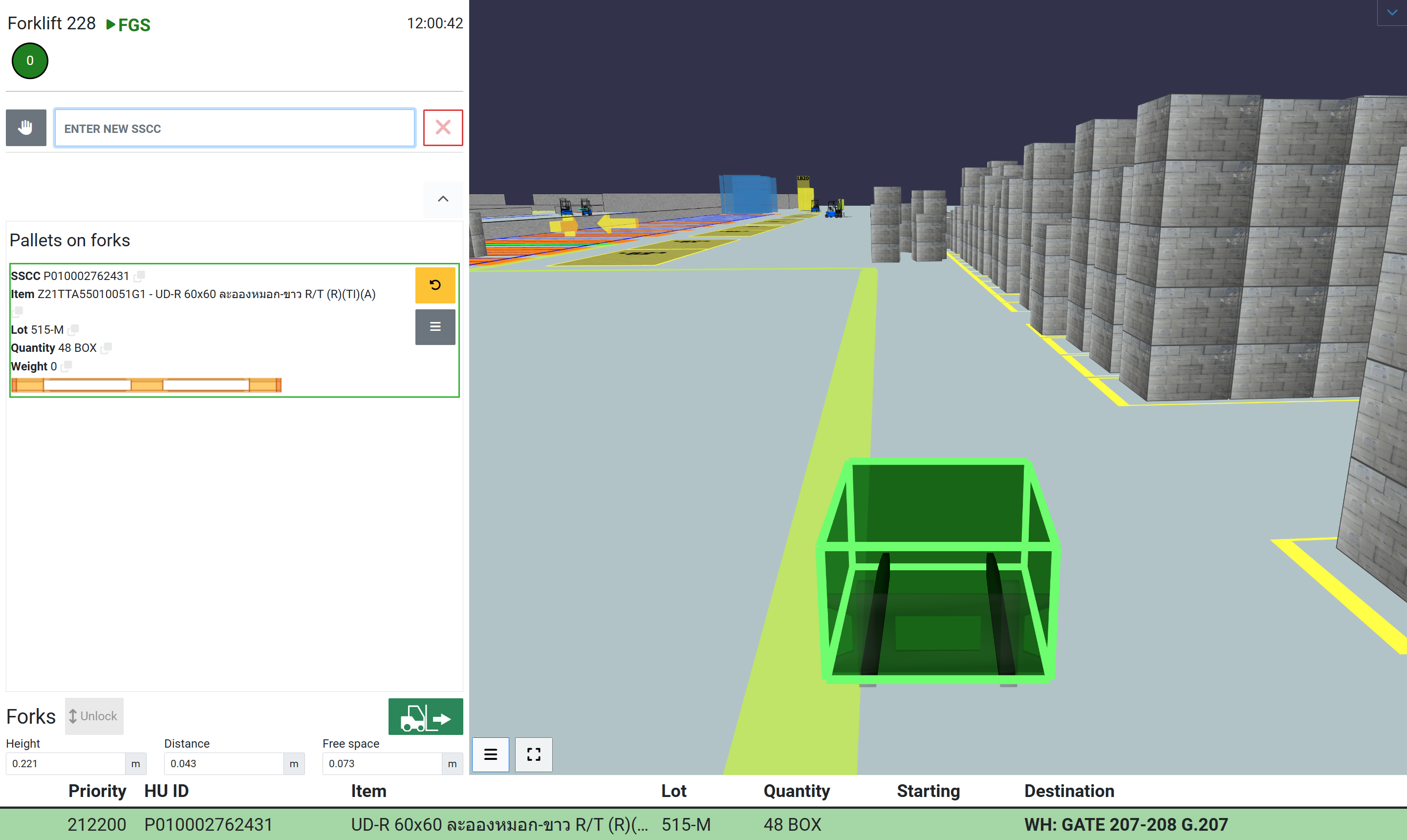
The Driver View
The driver view display a real time 3D representation of the warehouse centered on the forklift’s position.
Tre screen highlights only the relevant objects for the current mission (pallets, target, locations, loading bays, other forklifts, etc..), giving the operator clear visual guidance and reducing the risk of errors.
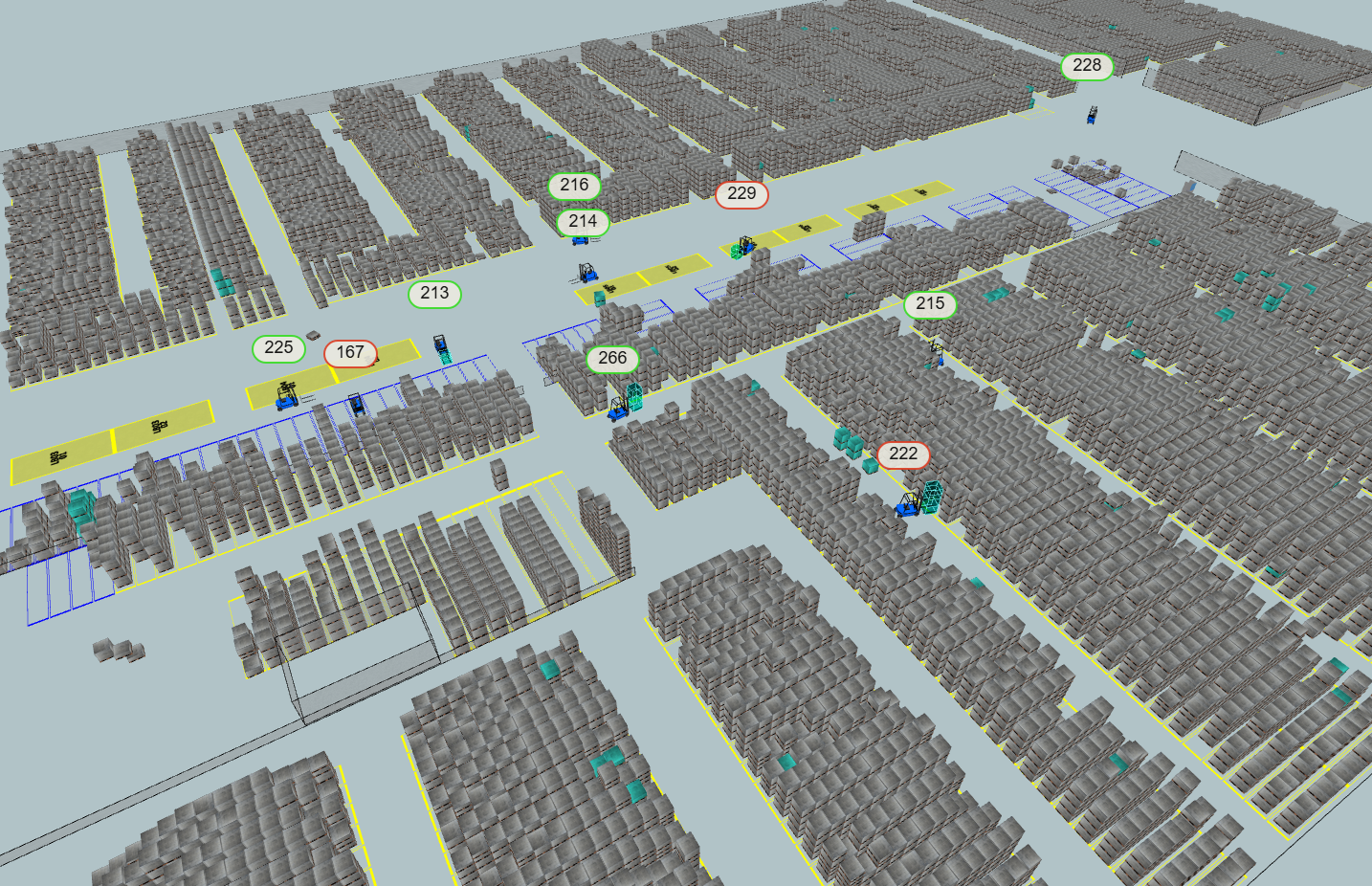
The Manager View
The manager view offers a boader perspective, showing the entire warehouse and the real-time position of all forklifts, pallets, and active transfer missions.
This allows supervisors to monitor operations, optimize workflows, and quickly react to issues or bottlenecks.
NAVIGATION
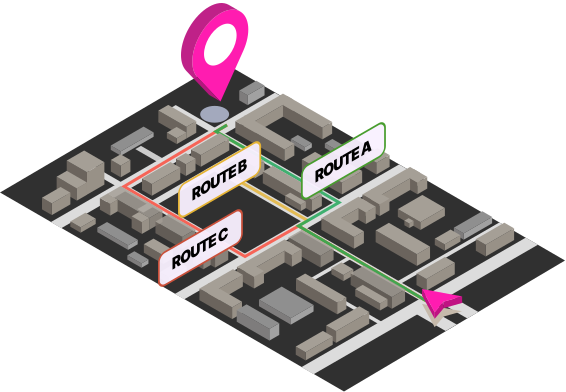
Precise direction to a clearly visible target.
It enables easy wayfinding through the navigation path, optimizes cycle time for both searching pick-up pallets (e.g., in stacked areas) and finding put-away locations, and is essential for complex warehouses and seasonal workers.
SCHEDULING
The mission schedule organized in the blink of an eye
Scheduling increases fleet efficiency by analyzing forklift flows in real time, optimizing routes, and reducing empty runs.
By leveraging real-time positioning technologies and intelligent control, we can gain a comprehensive view of your fleet and manage it collaboratively, transforming traffic from a critical issue into an opportunity for efficiency.
It is a flexible and adaptive tool, applied and modeled to meet the specific needs of each logistics site, thus providing the best possible performance in every situation.
AUTO-ID
A visual check that doesn’t need tags or anything else
Auto-ID generates time-savings and improved efficiencies by eliminating significant amounts of repetitive manual work.
The principles
3D Storage
Every pallet is stored with x-y-z coordinates in the 3D warehouse twin. Reliability in all types of logistics areas, especially where the use of barcodes is problematic (e.g. floor/block stacking areas).
Forklift Sensors
Dragonfly Localization + forks height and pallet presence sensors for the “Auto-Identification” of the pick-up and storage operations.
No RFID
No need for additional RFID (or BLE) tags on the pallet: traditional barcodes or QR codes are enough for a “visual” check
Scannerless
No need to scan anything when storing or picking-up pallets
No manual operations
The driver doesn’t need to enter any data to confirm the execution of logistic operations: the “auto-ID” works automatically, without any manual intervention
Picking with Auto-ID
All the incoming goods receive a Pallet ID with x-y-z position.
The forklift driver receives information via vehicular PC about the location of each pallet to be picked up.
The storage of the pallet into the 3D warehouse happens scannerless thanks to the forklift’s position andforks’ sensors.
When the forklift driver loads the pallet into the truck loading bay, the Auto- ID checks that it is an expected pallet from the Shipment data, otherwise it issues an alert.
REPORT & ANALYTICS
From sight to insight
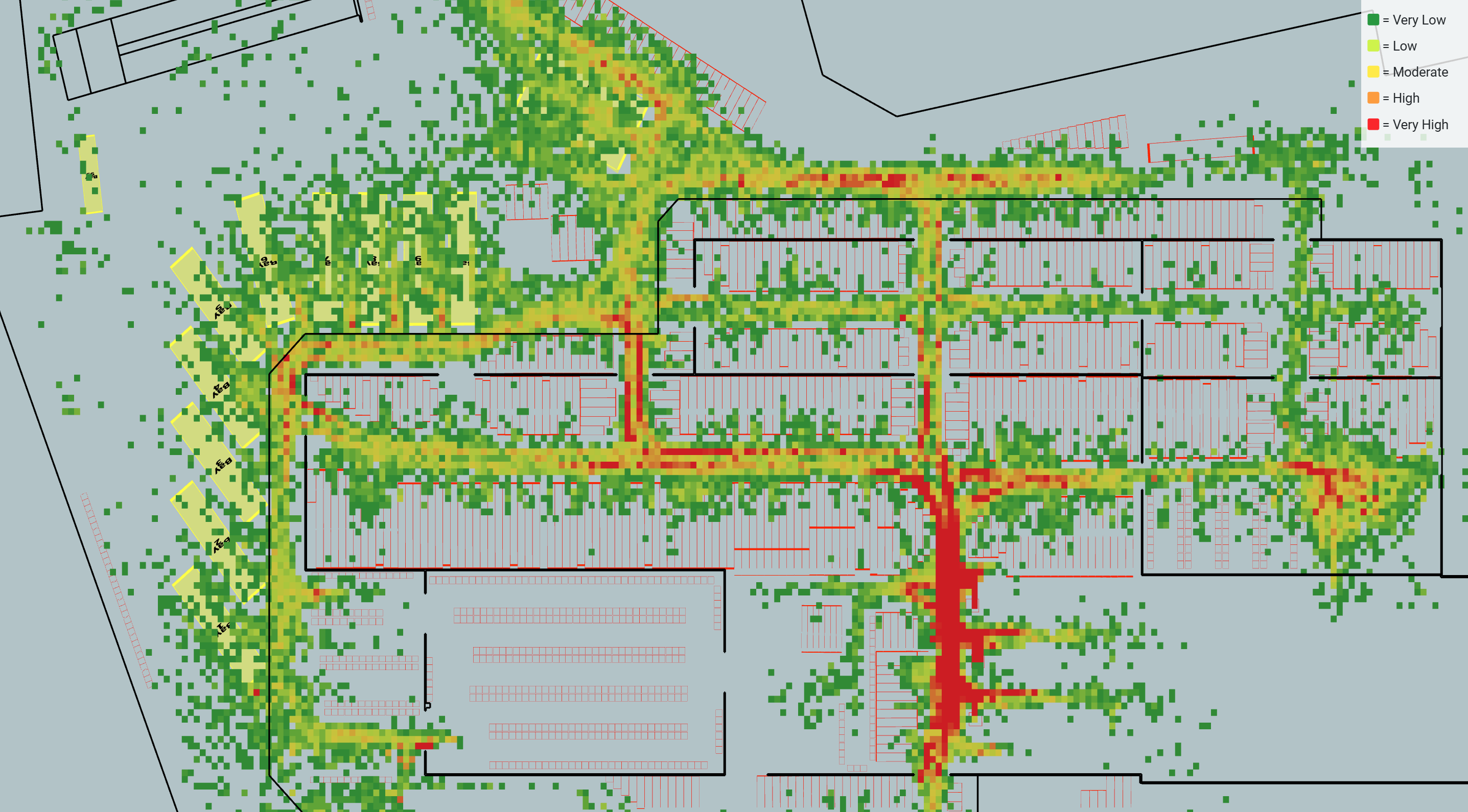
The system provide advanced analytics, heatmaps, spaghetti charts and statistics about the operation of each forklift.
It helps make a series of strategic decisions, like changing industrial truck allocation per process and logistic area, chianging drivers and roles, and redesign warehouse layout.